Accessibility Audit Services: A Complete 2026 Guide

Sidharth Nayyar
TLDR: Key Takeaways on Accessibility Audits
What It Is: An accessibility audit is a professional review of your website or app to find and fix barriers for people with disabilities, ensuring it meets standards like WCAG.
Why It Matters: Audits help you expand your market reach, reduce legal risks (like ADA lawsuits), enhance your brand reputation, and improve the user experience for everyone.
Types of Audits: Audits can be automated (fast but limited), manual (in-depth and human-led), or hybrid (the best of both, combining speed with expert insight).
The Process: A typical audit involves scoping the project, detailed testing, and a final report with prioritized, actionable steps for your team to follow.
Choosing a Partner: Select a provider with proven expertise, a thorough hybrid testing methodology, and a commitment to providing clear, developer-friendly reports and post-audit support.
The Goal: The ultimate aim is not just to fix current issues but to build a sustainable, accessibility-first culture within your organization.
Accessibility audit services are professional, in-depth evaluations of a digital product—be it a website, mobile app, or software platform. Their goal is to pinpoint barriers that prevent people with disabilities from using it effectively.
Think of it as a comprehensive inspection for your digital property, making sure it not only meets legal standards like the Web Content Accessibility Guidelines (WCAG) but is genuinely usable by everyone. This process is absolutely vital for sidestepping legal headaches and, just as importantly, welcoming a much larger audience.
Prefer an expert to run it? See how our IAAP-certified accessibility audit works, or scan your site free to see where you stand first.
Why Accessibility Audits Are Non-Negotiable
In a world that runs on digital interaction, an inaccessible website is the modern equivalent of a physical store with a locked front door. An accessibility audit is what gives you the key to unlock that door for millions of potential customers.
The audit systematically uncovers issues that block access for people who depend on assistive technologies, like screen readers for the visually impaired or keyboard-only navigation for those with motor disabilities. The whole point is to find and understand these accessibility gaps before your users do. This moves you from guesswork to a clear, actionable plan for building a more inclusive and effective digital experience. It's not just about ticking a compliance box; it's about creating a better product for more people.
The Business Case for Audits
Investing in accessibility audit services offers a powerful return that goes well beyond legal peace of mind. When your digital platforms are accessible, you’re not just doing the right thing—you’re opening your brand to a bigger market, boosting your SEO, and polishing your public image.
Let's look at the core benefits:
Expanded Market Reach: An audit is the first step to connecting with the over one billion people globally who live with some form of disability.
Reduced Legal Risk: Proactively finding and fixing accessibility issues is your best defense against expensive lawsuits. You can learn more about the cost of ADA non-compliance in our detailed guide.
Enhanced Brand Reputation: A real commitment to accessibility shows strong corporate social responsibility, building trust and loyalty with all your customers.
Improved User Experience: Many accessibility improvements—like clear navigation, readable fonts, and logical layouts—make the experience better for every single user, often leading to higher engagement.
An accessibility audit isn't just a technical report. It's a strategic investment in your brand's future, providing the clarity you need to not only reduce risk but also to innovate and build digital products that genuinely serve everyone.
A Growing Mandate for Accessibility
The push for digital inclusion isn't just a fleeting trend; it’s a movement backed by strengthening regulations and a rapidly expanding market. In fact, the demand for digital accessibility services is projected to jump from USD 1.55 billion in 2026 to an incredible USD 5.6 billion by 2035.
This massive growth is fueled by stricter enforcement of laws like ADA Title II and Section 508 in the US, as well as Europe's EN 301 549. These regulations are pushing organizations to stop treating accessibility as an afterthought. This momentum makes regular audits a fundamental part of modern digital strategy. Instead of a one-and-done project, leading companies now see accessibility as an ongoing practice. An audit provides the essential baseline, expert guidance, and accountability needed to weave inclusive design into your company's DNA.
Here's a quick summary of what you get from a professional accessibility audit.
TLDR What Accessibility Audit Services Deliver
| Component | Description | Primary Goal |
|---|---|---|
| Expert Analysis | Manual and automated testing against standards like WCAG by accessibility specialists. | Identify all technical and usability barriers for users with disabilities. |
| Actionable Reporting | A detailed report outlining specific issues, their impact, and clear code-level remediation steps. | Provide developers and designers with a clear roadmap for fixing problems. |
| Compliance & Risk Mitigation | Verification of conformance to legal standards (ADA, Section 508, etc.) to minimize legal exposure. | Achieve and maintain legal compliance while reducing the risk of lawsuits. |
| Strategic Guidance | Recommendations for integrating accessibility into future development, design, and content workflows. | Embed accessibility into the company culture to prevent future issues. |
Ultimately, a quality audit sets you up for long-term success, ensuring you stay ahead of compliance curves and meet the evolving expectations of all your users.
Choosing Your Audit Approach
Picking the right kind of accessibility audit is a big decision. It’s not a one-size-fits-all situation. The path you choose will directly influence how effective your entire accessibility effort is, shaping the kind of feedback you get and the problems you’re able to solve.
Think of it like getting a car inspected. You could run it through a quick automated diagnostic that checks the engine codes, or you could have a master mechanic take it apart to examine every single component. Both are useful, but they tell you very different things. Let's break down the options.
The Automated Scan: A Quick First Pass
Automated testing is the speed demon of the accessibility world. These tools are like a spell-checker for your code, zipping through your website or app to catch common, black-and-white errors against WCAG standards. They're fantastic for spotting things like missing alt text on images, obvious color contrast failures, or improperly nested headings.
But here’s the catch: speed has its limits. Automated tools can only flag about 20-40% of all potential accessibility problems. They have no sense of context or user experience. For example, a tool can confirm an image has alt text, but it can’t tell you if that text is genuinely helpful ("A golden retriever catching a red frisbee in a sunny park") or completely useless ("image123.jpg").
To get a better handle on what these tools can and can't do, check out our in-depth guide on automated accessibility testing tools.
The Manual Audit: A Deep Dive with Human Experts
This is where the real magic happens. A manual audit brings in seasoned accessibility specialists—often including people with disabilities who use assistive technology every day. They navigate your site just like a real user would, using screen readers, navigating with only a keyboard, or using screen magnification software.
This human-led process uncovers the subtle, complex issues that automated scans fly right past. We're talking about things like:
Logical Navigation Flow: Can a keyboard user tab through the page in an order that actually makes sense?
Complex User Journeys: Is it possible for someone using a screen reader to actually complete a purchase or fill out a multi-page form?
Real-World Usability: Are there elements that are technically compliant but incredibly frustrating to use in practice?
A manual audit gives you the "why" behind the "what." It goes beyond just checking boxes on a compliance list to tell you if your product is truly usable for everyone. That’s how you build an experience that feels genuinely inclusive.
The Hybrid Model: The Best of Both Worlds
For most organizations, the hybrid approach is the sweet spot. It strategically combines the raw speed of automated scanning with the detailed, nuanced insights of manual testing. It's really the most pragmatic and thorough way to get a complete picture of where you stand.
The process usually kicks off with an automated scan to quickly identify and clear out all the low-hanging fruit. This frees up the human experts to focus their time and energy on the tricky stuff—complex user flows, interactive widgets, and the overall usability journey. By blending these two methods, you get efficiency and depth, which is why it’s become the go-to standard for serious accessibility audit services.
Comparing Audit Methodologies: Automated vs. Manual vs. Hybrid
To make it easier to see the differences at a glance, here’s a breakdown of the three main approaches.
| Methodology | Key Strengths | Key Limitations | Best For |
|---|---|---|---|
| Automated | Fast, scalable, and great for catching a high volume of simple, code-based issues. | Can only detect 20-40% of issues; lacks context and cannot evaluate user experience. | Quick health checks, ongoing monitoring within development sprints, and identifying "low-hanging fruit" issues. |
| Manual | In-depth, contextual, and uncovers nuanced usability barriers. Essential for real-world testing. | Slower, more resource-intensive, and requires specialized human expertise. | Comprehensive compliance audits (VPAT/ACR), deep user experience analysis, and testing complex user journeys. |
| Hybrid | Combines the speed of automation with the depth of manual testing for a complete view. | Requires coordination between two different processes; can be more complex to manage. | The most thorough and reliable approach for a complete accessibility audit and long-term compliance strategy. |
Ultimately, this blended or hybrid approach ensures you catch the widest possible range of issues, from simple coding mistakes to the critical experience roadblocks that can truly alienate users.
What Happens During an Accessibility Audit
If you’ve never been through one, an accessibility audit can feel like a bit of a black box. But it's actually a straightforward, collaborative process. Think of it less like a surprise inspection and more like bringing in an expert guide to show you exactly where and how you can improve your digital product.
The real work starts well before any testing happens. It all kicks off with a crucial scoping phase where you and the audit provider get on the same page about what the engagement will cover. This ensures everyone is aligned from the get-go.
The Scoping and Kickoff Phase
Think of this first phase as drawing the map for the audit. You’ll work together to pinpoint exactly which digital assets need to be evaluated. It's rarely practical or necessary to test every single page of a huge website, so the focus is on a representative sample of key pages and user journeys.
This initial conversation usually nails down a few key things:
Target Pages and Components: This means identifying unique page templates (like the homepage, product pages, or contact forms) and any complex interactive elements like navigation menus, pop-up modals, or data tables.
Critical User Flows: You'll define the most important tasks someone needs to complete, like creating an account, finishing a purchase, or finding specific information.
Conformance Goals: This is where you specify the standard you're aiming for, which is most often the Web Content Accessibility Guidelines (WCAG) 2.1 Level AA.
Assistive Technology Matrix: You’ll decide on the specific combinations of screen readers, browsers, and operating systems that will be used for hands-on manual testing.
Once the scope is locked in, a kickoff meeting brings both teams together. Here, you'll finalize timelines, set up communication channels, and make sure your team is ready to support the auditors.
The Testing and Analysis Phase
With the roadmap in place, the real testing begins. Auditors meticulously comb through your digital product, using a mix of automated tools and expert manual evaluation to find a wide range of issues. This hybrid approach is the gold standard in the industry because it provides the most complete picture.
The value of expert accessibility audit services really comes through here. The market for the underlying tools is booming—it was valued at USD 578.73 million in 2024 and is projected to hit USD 994.03 million by 2032. This growth shows just how much the industry relies on combining the speed of automation with the nuance of human expertise to meet standards like WCAG 2.1. You can learn more about the expanding market for these essential tools.
This flow shows how different testing methods are chosen and combined to get the best results.
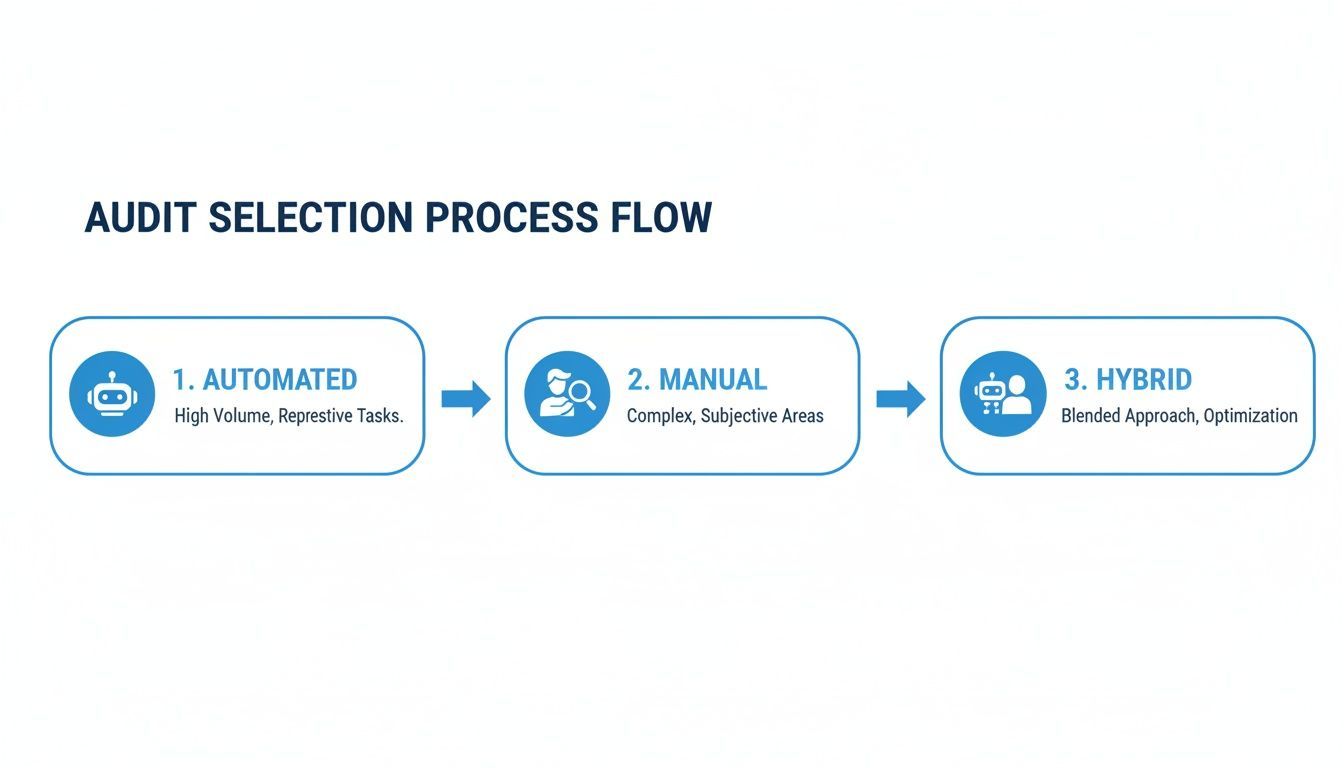
As you can see, a hybrid audit that blends automated efficiency with the depth of manual testing offers the most thorough approach.
The Reporting and Deliverables Phase
The final stage—and arguably the most important—is the report. A great audit report is much more than a long list of bugs. It’s a strategic document designed to empower your team to take meaningful action.
The ultimate goal of an audit report isn't just to point out what's broken. It's to provide your team with the knowledge, context, and clear instructions they need to build a more inclusive product.
A truly comprehensive deliverable will always include:
An Executive Summary: This is the high-level overview for leadership, summarizing the findings, your overall compliance status, and the main takeaways.
A Prioritized Issue List: Each issue is broken down by severity (blocker, critical, serious), its impact on real users, and the specific WCAG success criteria it violates.
Actionable Remediation Guidance: This is the key part for your developers. It provides clear, practical advice—often with code snippets—on exactly how to fix each problem.
Evidence and Replication Steps: Auditors provide screenshots, videos, and step-by-step instructions so your team can see the issues for themselves and understand the user experience.
This level of detail turns the audit from a simple assessment into an educational tool, setting your team up for both immediate fixes and long-term success.
How to Select the Right Audit Partner
Choosing an accessibility audit provider is one of the biggest decisions you'll make on your path to digital inclusion. This isn't just about hiring another vendor; it’s about finding a long-term partner who can guide your strategy and empower your entire team. The right partner gives you more than a list of errors—they hand you a clear, strategic roadmap to a more accessible future.
Making the right call means looking past the sales pitch and getting into the nitty-gritty of a provider's expertise, their process, and the support they offer. A great audit lays the foundation for real, lasting change. A poor one? It just leads to wasted money and a frustrating cycle of fixing things that don't stick. Think of it like hiring an expert architect to check your building's foundation; their skill determines the safety of everything you build on top.
Evaluating Expertise and Experience
First things first: you need to vet their expertise. Look for a deep, proven understanding of the standards that really matter in digital accessibility. That obviously includes the Web Content Accessibility Guidelines (WCAG), but also the legal frameworks relevant to you, like the Americans with Disabilities Act (ADA) or Section 508.
Experience in your specific industry is a huge plus. A partner who already gets the unique challenges and customer journeys in e-commerce, healthcare, or finance will deliver far more practical insights. Their familiarity with industry-specific platforms means they can spot common pitfalls and offer targeted advice, saving your team a ton of time.
Scrutinizing the Audit Methodology
A provider's testing process is the engine that drives the whole audit. The most effective approach by far is a hybrid model—one that blends the speed of automated scanning with the critical, nuanced insights that only come from manual testing. Don't be shy about asking detailed questions about how they balance the two.
Here are a few key questions to dig into:
Assistive Technology Use: What specific assistive technologies do they use for manual testing? A thorough audit should involve tools that people with disabilities use every day, like screen readers such as JAWS, NVDA, or VoiceOver.
User Involvement: Do they involve native users of assistive technology in their testing? Getting direct feedback from people with disabilities provides priceless, real-world context that a technical expert simply can't replicate.
Scope and Coverage: How do they figure out what to test? A good partner will work with you to choose a representative sample of key pages, templates, and user flows to ensure you get comprehensive coverage without blowing your budget.
A provider’s commitment to rigorous manual testing is a clear indicator of their dedication to quality. Automation finds code errors, but human experts find the real-world usability barriers that truly impact your audience.
Assessing Reporting and Deliverables
The final audit report is the most concrete thing you'll get from the engagement, and its quality can make or break your team's ability to fix things. A world-class report is not a massive data dump filled with technical jargon. It should be an actionable, educational tool that empowers your developers and designers to fix issues with confidence.
Look for a report that is clear, prioritized, and built for developers. A strong report offers much more than a simple pass/fail grade. It should provide:
Prioritized Findings: Issues should be sorted by severity (blocker, critical, serious) to help your team tackle the most impactful fixes first.
Clear Remediation Guidance: For every issue, the report must include specific, code-level advice on how to fix it. Screenshots, video clips, and clear steps to reproduce the problem are non-negotiable.
User Impact Explanations: The report needs to explain why an issue matters by describing its impact on someone using assistive technology. This context builds empathy and helps your team see the human side of accessibility.
Considering Post-Audit Support
The audit itself is just the starting line. The real value of a partner shows up in the support they provide after the report is delivered. To make improvements stick, you need ongoing guidance and collaboration. Look for a provider who offers solid post-audit support to make sure your investment leads to tangible results.
This support might include remediation verification, where the provider re-tests your fixes to confirm they work correctly. Many firms also offer team training to upskill your developers and designers, helping them avoid the same mistakes down the road. For deeper strategic help, you can explore broader digital accessibility consulting services to weave inclusive practices into your company's DNA. This kind of ongoing support turns a one-time audit into a catalyst for building a sustainable culture of accessibility.
Putting Your Audit Findings into Action
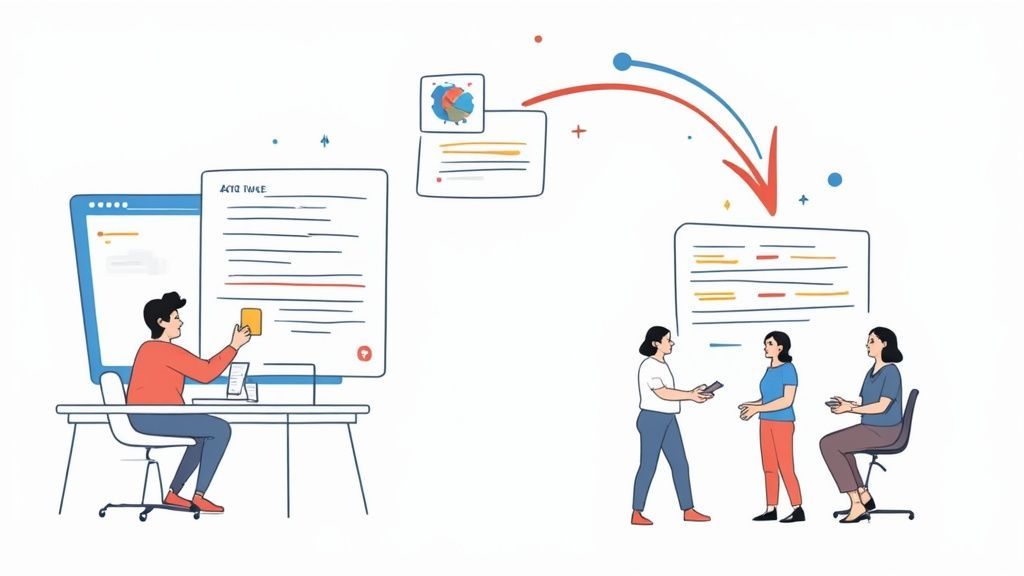
Think of your accessibility audit report as a strategic roadmap, not a final destination. It's the starting gun for the real work. The true goal is to use its findings as a catalyst for implementing website accessibility best practices that transform your entire development process.
Getting a report full of technical jargon can feel overwhelming. But when you break it down, it's a powerful tool for shifting from a reactive "bug-fixing" mindset to a proactive one where accessibility is built-in from the start.
This all begins with translating those audit findings into a concrete plan of attack. It’s not about boiling the ocean and fixing everything at once. It’s about smart, surgical prioritization based on what will make the biggest difference for your users.
Triaging and Prioritizing Fixes
A good audit report won't just dump a list of problems on you; it will categorize them by severity. This gives you an instant hierarchy, pointing you straight to the issues causing the most pain for users with disabilities.
You can generally group the findings like this:
Blockers: These are the showstoppers. Think of a checkout button that a screen reader can't find or a form that's impossible to submit without a mouse. These prevent users from completing essential tasks and need to be fixed yesterday.
Critical Issues: These create massive headaches and can make parts of your site unusable, even if a clunky workaround exists.
Serious Issues: While not complete blockers, these problems cause real frustration and make it difficult for users to get things done efficiently.
Moderate & Minor Issues: These are more like usability annoyances that chip away at the experience but don't completely derail a user's journey.
Your first move should be to get your development and product teams in a room to review these findings. Turn them into tickets in your project management system, tag them by priority, and get those blocker and critical issues slotted into the very next sprint.
The goal of triage isn't just to create a to-do list; it's to build a strategic response. Focus on quick wins and high-impact fixes first to build momentum and deliver immediate value to users with disabilities.
Building a Sustainable Remediation Workflow
Fixing the current batch of issues is only half the battle. The real win comes from making sure these problems don't happen again. This is where the concept of "shifting left" comes in—it's all about moving accessibility checks earlier into the design and development lifecycle.
This proactive approach is what separates the companies that "do" accessibility from those that are accessible. It's about giving your teams the knowledge and tools they need to build inclusively from day one, which stops accessibility bugs from ever reaching production.
The industry is clearly moving in this direction. The global accessibility testing market is booming, projected to hit USD 610.51 million in 2025 and grow to USD 801.31 million by 2030. North America is leading the way, making up 41.0% of global revenue in 2024, thanks in large part to strong regulations like Section 508.
Cultivating an Accessibility-First Culture
Ultimately, an audit's greatest value is educational. That detailed report is a goldmine of real-world examples you can use to train your designers, developers, and content creators. It transforms a one-time report card into a powerful, hands-on learning tool.
Here’s how you can leverage it to build a lasting culture of accessibility:
Establish Accessibility Champions: Find passionate advocates within your teams who can be the go-to resource for their colleagues and keep accessibility on everyone's radar.
Conduct Developer Training: Use the audit's specific code examples to show developers exactly what accessible code looks like and how to sidestep common pitfalls.
Integrate Automated Tools: Weave automated accessibility scanners into your CI/CD pipeline. These tools can catch low-hanging fruit and simple errors before they're ever deployed.
By taking these steps, you turn the insights from a single audit into a foundational piece of your ongoing product strategy. Accessibility stops being a checkbox and becomes a core principle of how you design, build, and innovate.
Your Top Accessibility Audit Questions, Answered
The short version: How much an accessibility audit costs and how long it takes really depends on the size of your website and how deep you need to go. Expect anything from a few days to several weeks. And no, automated tools aren't enough—they're a good start, but they can't replace a real audit done by experts. Finally, an audit is the behind-the-scenes investigation, while a VPAT is the public report card you show the world.
When you're looking into accessibility audit services, a lot of questions pop up. Getting straight answers on cost, timing, and what you actually get helps you make a solid decision and set the right expectations with your team. Let's tackle some of the most common ones.
How Much Does an Accessibility Audit Service Cost?
There’s no simple price tag for an accessibility audit. The cost really hinges on how big and complex your digital product is, what you need tested, and the thoroughness of the audit itself. A quick automated scan might seem cheap, but it barely scratches the surface.
A full-blown manual audit on a large, dynamic website, done by seasoned experts, is a much bigger investment. Here are the main things that drive the price:
Scope: Are we talking about a handful of pages and templates, or your entire site with all its critical user flows?
Complexity: How intricate is your site? Things like interactive forms, dynamic content that changes on the page, and third-party tools all add layers of work.
Methodology: What’s the mix between automated scanning and hands-on manual testing with assistive technologies?
Reporting: How detailed does the final report need to be? Are you looking for high-level summaries or code-level advice and follow-up support?
To really compare apples to apples, make sure you get a detailed quote that clearly spells out the scope of work. That’s the only way to know you’re evaluating similar levels of service.
How Long Does a Typical Accessibility Audit Take?
The timeline for an audit can be anywhere from a few business days to several weeks. An automated scan might spit out results in a few hours, but that’s just a preliminary check, not a real audit.
A proper hybrid audit, which includes a lot of manual testing by accessibility specialists, usually takes between two to six weeks. The duration is tied directly to the project's size. Auditing a small five-page marketing site is worlds away from assessing a massive e-commerce platform with hundreds of templates and complex checkout flows. Any provider worth their salt will give you a clear, realistic timeline in their proposal.
A quality audit takes time because it involves meticulous, human-centered testing. The goal isn't just speed; it's to deliver accurate, actionable insights that lead to genuine improvements in usability and compliance for your users.
What Is the Difference Between an Audit and a VPAT?
This is a great question. While an accessibility audit and a Voluntary Product Accessibility Template (VPAT) are related, they do very different jobs. Think of them as two sides of the same coin—they work together, but you can't swap one for the other.
An accessibility audit is the deep-dive investigation. It’s where experts test your product against specific standards to find every barrier they can. The result is a confidential, internal report full of prioritized findings and practical, developer-focused advice on how to fix things.
A VPAT, on the other hand, is a formal, public-facing document. It’s a standardized template that reports how well your product meets accessibility standards like Section 508 and WCAG. Companies often need a VPAT for sales processes, especially when working with government agencies. So, the audit is the hard work you do to gather the evidence needed to fill out the VPAT honestly and accurately.
Can We Just Use an Automated Tool Instead of a Full Audit?
Relying only on automated tools is one of the most common missteps we see. These tools are fantastic for a first pass, quickly catching a slice of common, code-based problems—usually about 20-40% of the total issues. But they are absolutely not a replacement for a full accessibility audit service that includes rigorous manual testing.
Automation has some serious blind spots. It can't:
Tell you what the actual user experience is like.
Navigate a complex, multi-step process like a human would.
Understand context, like whether alt text is actually helpful or if link text makes sense.
Check if the navigation order is logical for someone using a keyboard or screen reader.
A truly comprehensive audit blends the speed of automation with the irreplaceable insight of expert human testing. This hybrid approach is the only way to be sure your product isn't just technically compliant, but genuinely usable for everyone. For those managing multiple services, it's helpful to see how different providers handle common inquiries. For additional insights and common inquiries about their services, you might find answers in their frequently asked questions.
At WebAbility.io, we provide end-to-end accessibility solutions that turn audit findings into lasting compliance and a better user experience for all. Our platform combines continuous monitoring with expert services to give you a clear path forward. Discover how WebAbility.io can support your accessibility goals.
Quick Questions
Tap to ask AI about this article