Loading
Need some help with installing WebAbility?
Find your answers here
How to install the WebAbility Accessibility Enhancer on a Volusion website
Follow these steps to add the WebAbility Accessibility Enhancer to your Volusion e-commerce store and make it accessible for all customers.
Installation Steps
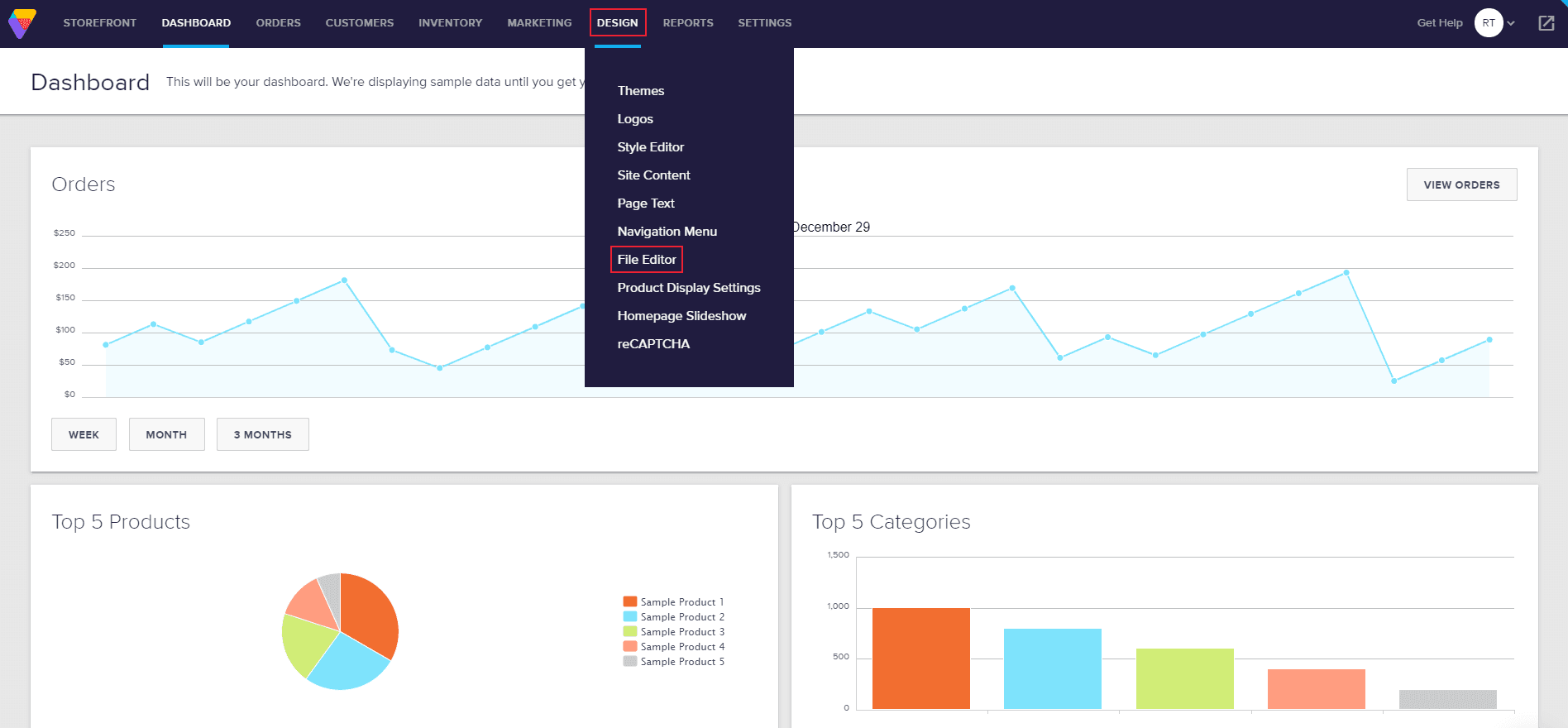
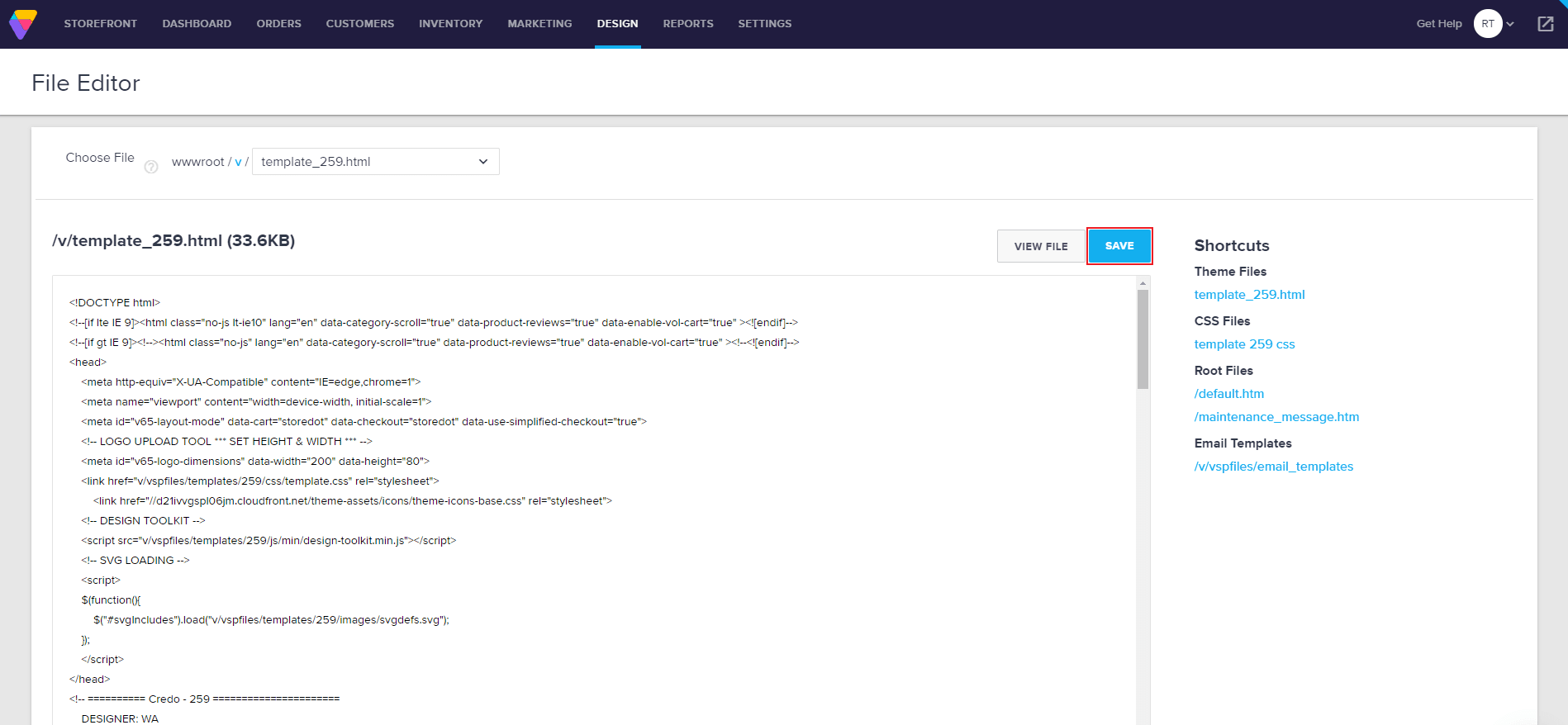
- In the dashboard, go to Design and select File Editor.
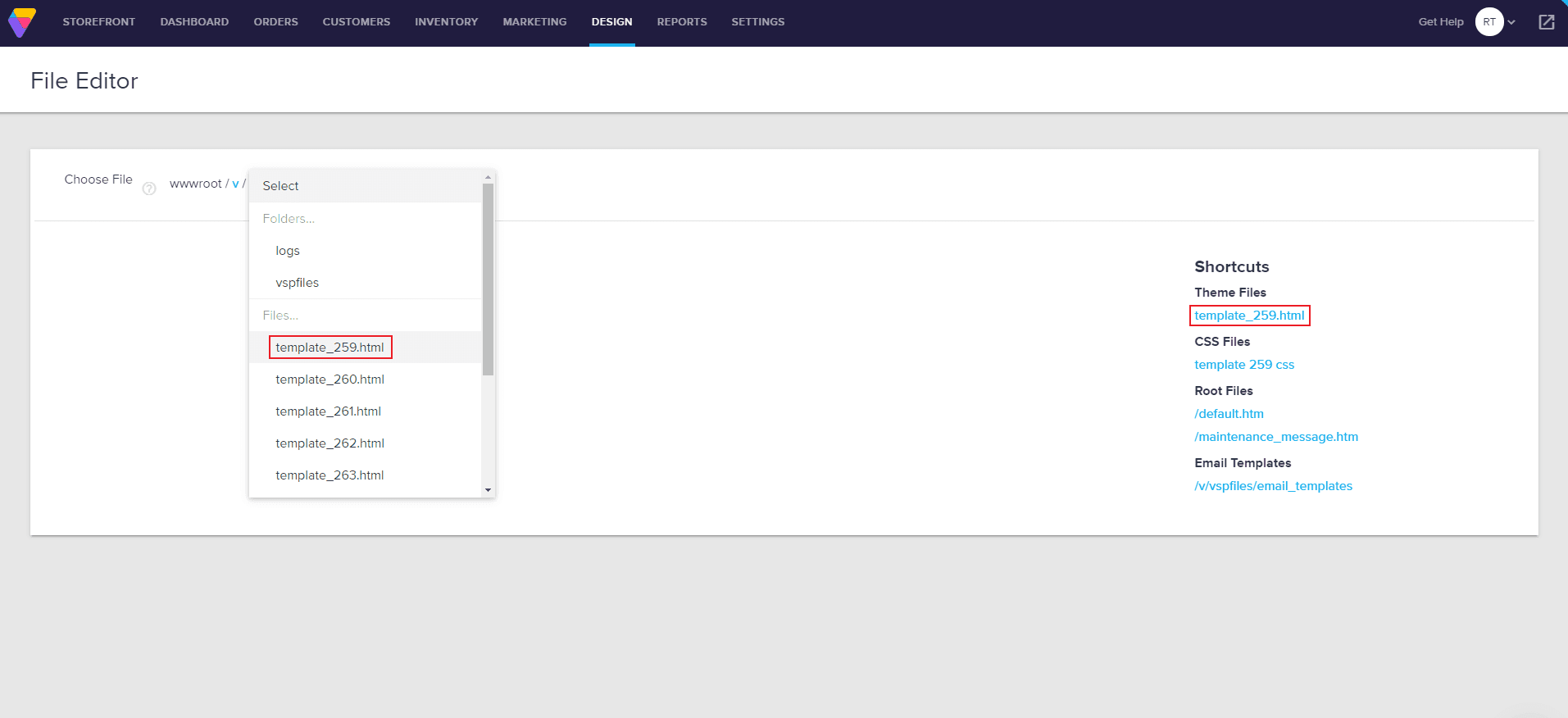
- Under Shortcuts > Theme Files on the right is your active template's HTML file starting with "template_" and ending with .html. Click it, and you'll be prompted with a text editor to modify the HTML code of your template.
Note: If you sometimes switch templates, there's a select box in the top left of the page where you can look for other templates that are installed on your website, and install WebAbility on those as well.
- WebAbility will work wherever you place the code in your template, however, we suggest putting it right before the closing of the body tag, which is always the second line from the end of the file.
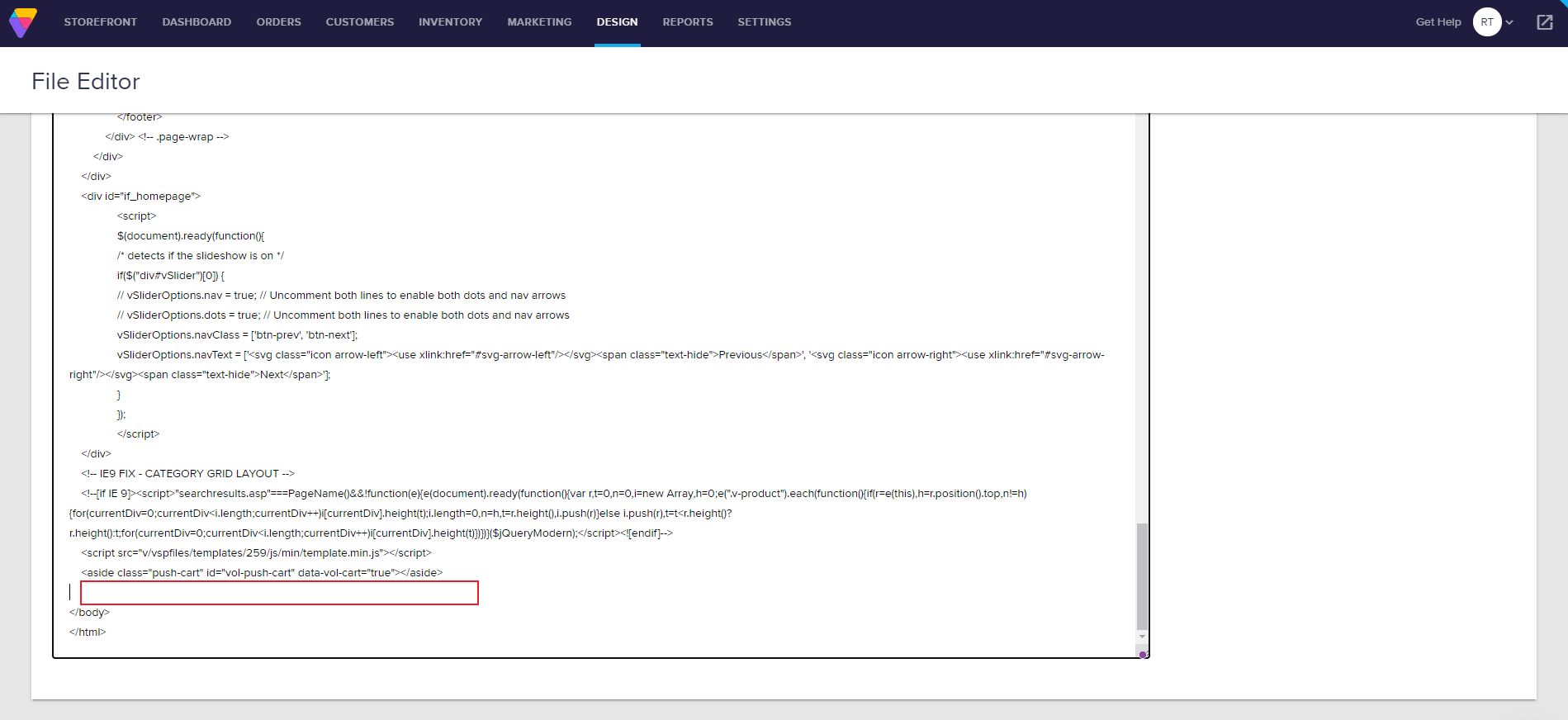
- In the defined area, paste the installation code that you received from us when you registered your site for our service. If you do not have an installation code, sign in at app.webability.io, click Sites and select your site, then open the Settings tab. Installation is the first section. Copy the snippet under Copy your snippet.
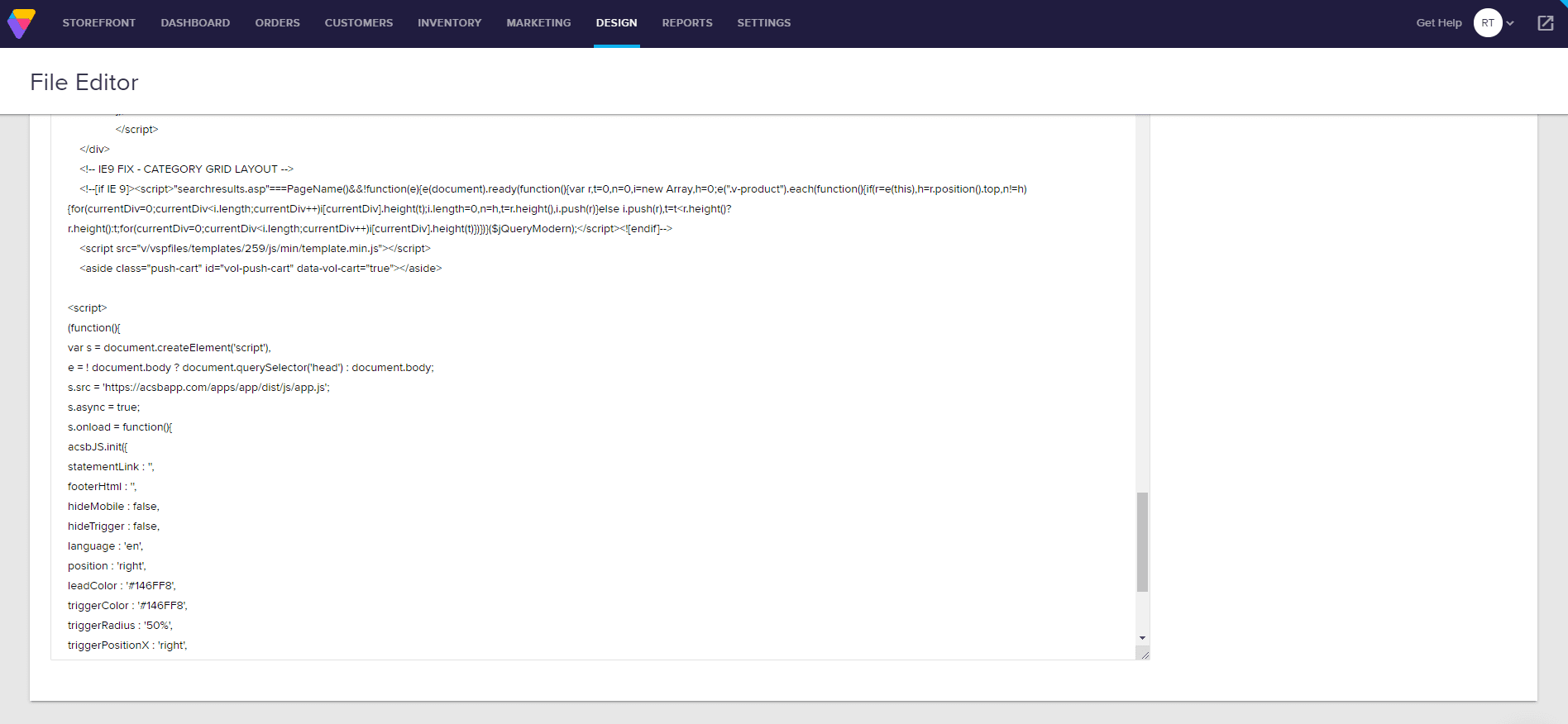
- Click Save and refresh your website for changes to take effect.
Note: Whichever installation method you use, make sure to read ourWebsite Onboarding Guideand follow the instructions carefully to get the WebAbility Accessibility Enhancer set up right and running smoothly.