Loading
Need some help with installing WebAbility?
Find your answers here
Install the WebAbility Accessibility Enhancer on Custom CMS or No CMS Sites
WebAbility Accessibility Enhancer can fully operate on any site, regardless of the system it is built on, or even without any system at all. Our Accessibility Enhancer works on the client-side and is compatible with all server-side languages.
Getting Your Installation Code
- On the WebAbility homepage, click Login in the top right corner, and log in to your account.
- Go to Sites in the left menu and select your site.
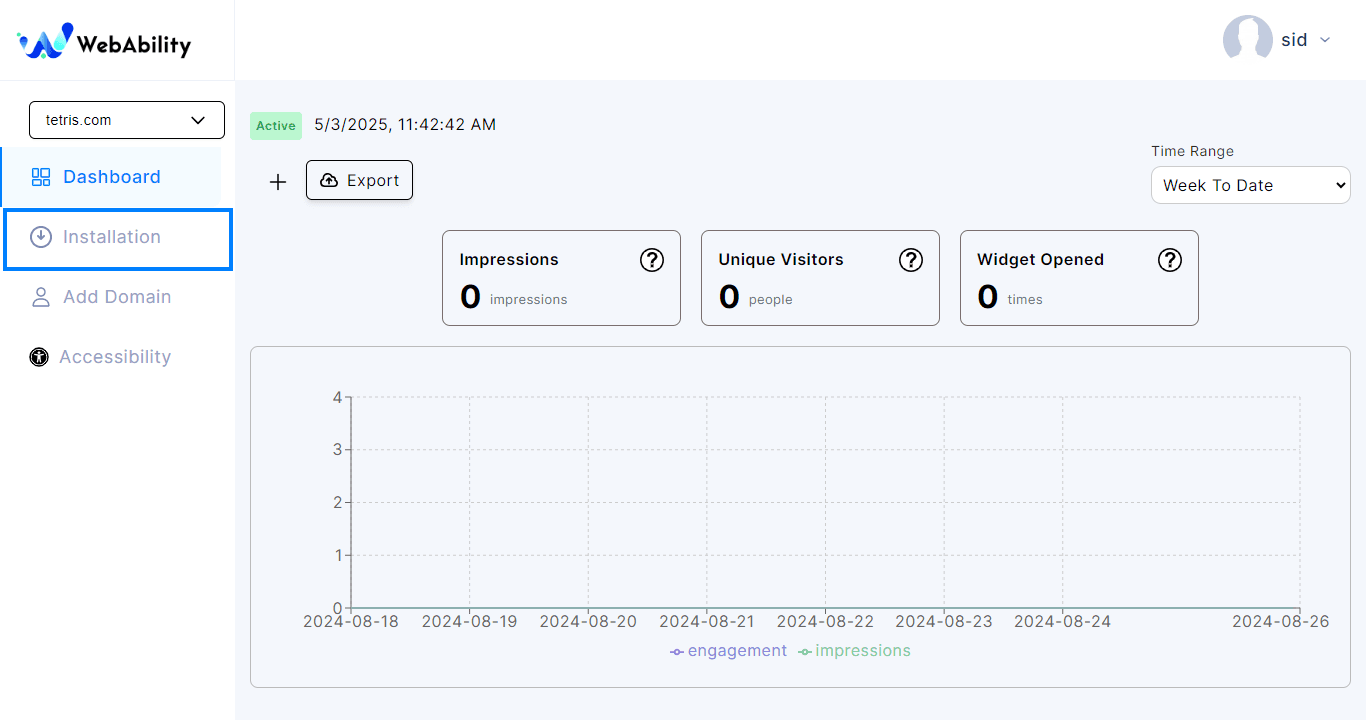
- Settings > Installation - Install the WebAbility Accessibility Enhancer with our default settings and design to provide the best customer experience.
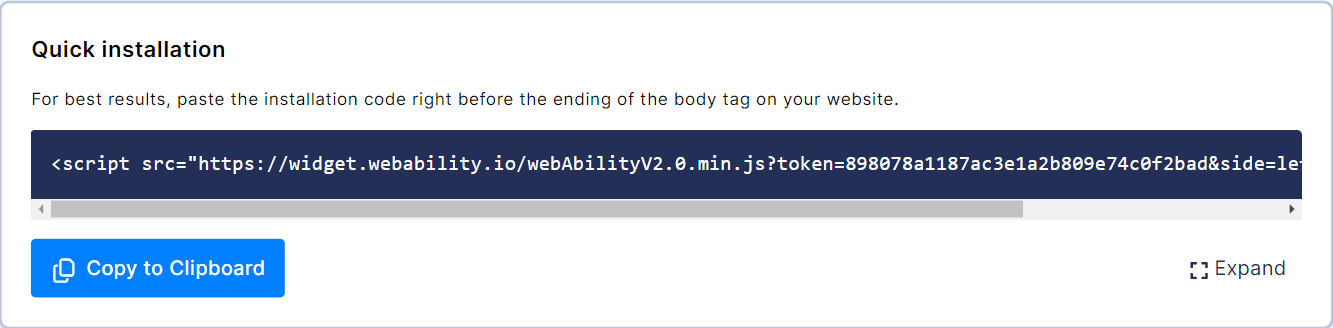
- Copy your own installation script from your WebAbility dashboard: Sites, select your site, Settings tab, Installation.
By default the Accessibility Enhancer loads with the page. If your site is tuned for page speed scores, you can set the Accessibility Enhancer to start after the page is idle or after the first visitor interaction. Choose Load timing under Copy your snippet in Settings > Installation, and the snippet updates. Before the trigger the browser downloads only the embed script. The Accessibility Enhancer fetches nothing else and applies no fixes, so the accessibility fixes are delayed by the same amount. See Load timing in the docs for each mode.
Platform Compatibility
We have many customers who maintain websites on various CMSs, built with different server languages such as .NET, Java, Python, NODE.JS, PHP, and others. Some of the CMSs where our customers have installed WebAbility Accessibility Enhancer include WordPress, Joomla, Wix, Magento, and other popular website builders: .NET Nuke, Umbraco, Drupal, Webflow, Weebly, Instapage, PrestaShop, Squarespace, Blogger, Volusion, BigCommerce, Confluence, dotCMS, DJANGO, Plone, Ghost (node.js) and many others.
Installation Instructions
- To install the WebAbility Accessibility Enhancer in a CMS without an installation guide or plugin, you need to learn how to add a JavaScript block to your site. It is unlikely that your CMS restricts the entry of such code. If you are unsure or unable to find the right place, you can ask the person who built the site to explain it to you. Most CMSs, even the less popular ones, have guides available on Google for adding JavaScript blocks to a site.
- And of course, you are always welcome to contact us, and if we can help, we'll be happy to do so. If not, at least we can speak on your behalf with the person who built the site and explain what we are looking for from a technological perspective.
Note: Whichever installation method you use, make sure to read ourWebsite Onboarding Guideand follow the instructions carefully to get the WebAbility Accessibility Enhancer set up right and running smoothly.