A Guide to Website Accessibility Standards for 2026

Sidharth Nayyar
TL;DR: Website accessibility standards, primarily the Web Content Accessibility Guidelines (WCAG), are the technical rules for making your site usable by everyone, including people with disabilities. Meeting these standards, especially WCAG Level AA, isn't just about legal compliance; it's a powerful strategy to increase your Conversion Rate Optimization (CRO) by reaching over 1.3 billion potential customers and building a trusted brand. A smart approach combines a thorough website accessibility audit to fix core code issues with ongoing automated monitoring and user-facing tools to ensure long-term inclusivity and business growth.
Simply put, website accessibility standards are the official rules of the road for making sure a website can be used by everyone—including people with disabilities. Following these standards isn't just a technical exercise or a box to check for compliance. It’s how you create a genuinely better user experience, open the door to a wider audience, and ultimately, improve your business's bottom line.
A Plain-English Guide to Accessibility Standards
Think of website accessibility as a form of inclusive design. It’s about building your digital space so that every user can get in, find what they need, and interact with your content, no matter their physical or cognitive abilities. This means your site needs to play nice with assistive tools like screen readers, be navigable with just a keyboard, and present information clearly.
These core principles are captured in website accessibility standards, which give developers and businesses a clear technical framework to follow. Getting this right is critical. These standards often form the basis for legal requirements in many countries and have a direct, tangible impact on your business. An accessible site doesn't just reduce the risk of costly lawsuits; it actively welcomes more customers and builds powerful brand loyalty.
The Pillars of Digital Accessibility
Before you can start fixing things, you need to know what you're aiming for. While accessibility regulations vary around the world, most efforts are built on a few foundational standards.
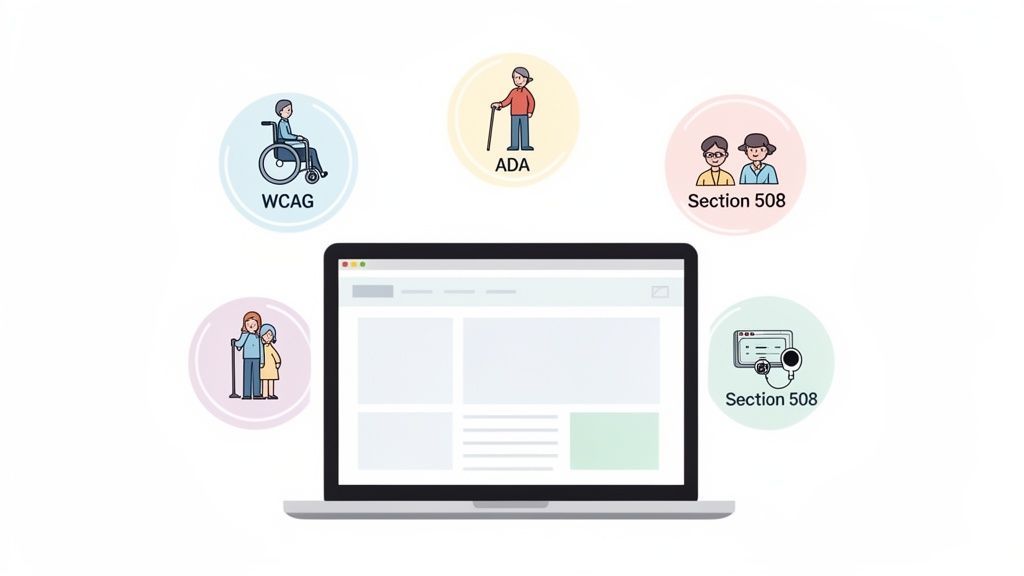
You'll hear these three mentioned most often:
- Web Content Accessibility Guidelines (WCAG): This is the international benchmark. It provides a detailed, technical set of criteria for making web content accessible to everyone.
- Americans with Disabilities Act (ADA): In the United States, the ADA is a civil rights law that has been consistently applied to websites, which courts view as "places of public accommodation."
- Section 508: This is a U.S. law requiring federal agencies—and any businesses that contract with them—to make all their electronic and information technology accessible.
When you focus on these standards, you're doing so much more than satisfying a legal requirement. You're actively making your website better for every single person who visits, which naturally leads to better engagement and shows the world your company cares about inclusion.
Quick Guide to Core Website Accessibility Standards
To help you tell these standards apart, this table breaks down their primary focus and who they apply to. It's the perfect starting point, and if you're ready for a deeper dive, you can learn more about what website accessibility truly involves in our complete guide.
This quick comparison should clear up any confusion.
| Standard | Primary Focus | Mainly Applies To |
|---|---|---|
| WCAG | Technical guidelines for creating accessible web content (text, images, code). | Global businesses and organizations; often cited by legal frameworks worldwide. |
| ADA | Civil rights law prohibiting discrimination based on disability. | U.S. businesses open to the public ("public accommodations"). |
| Section 508 | Federal law requiring access to electronic and information technology. | U.S. federal government agencies and their vendors/contractors. |
Understanding these distinctions is the first step in charting a clear path toward a more accessible and successful website.
Why Accessibility Isn't Just a Compliance Issue—It's a Growth Engine

It’s easy to get bogged down in the legal risks of an inaccessible website, but that’s missing the forest for the trees. The most compelling reason to embrace website accessibility standards isn't fear; it's opportunity. Treating accessibility as a box-checking exercise means you're overlooking a powerful strategy for driving conversions, expanding your market, and building a truly loyal customer base.
When you commit to making your site work for everyone, you inherently improve the experience for every single visitor. You're tearing down the frustrating walls that cause people to give up and leave, turning what could have been a lost sale into a brand advocate.
Fixing Accessibility Leaks to Boost Conversions
Let's be blunt: a confusing navigation menu, a form that ignores keyboard users, or a checkout button a screen reader can't find aren't just minor annoyances. They are holes in your sales funnel. Every time a user hits one of these roadblocks, you're leaking revenue.
Adhering to accessibility standards is the most systematic way to plug these leaks. It forces you to create a smoother, more logical user journey that has a direct, measurable impact on your bottom line.
Our experience shows that when businesses focus on this, they see real results:
- Fewer Abandoned Carts: A checkout process that’s clear and fully functional with assistive tech means more people actually complete their purchase.
- Happier Customers: An easy-to-use website leaves a great impression, driving repeat business and positive reviews.
- Deeper Engagement: Accessible content is almost always better structured, making it easier for users to digest and follow your calls-to-action.
Unlocking an Overlooked Market Worth Trillions
Globally, over 1.3 billion people live with a disability. This group, along with their friends and family who make purchasing decisions, represents a massive market that is actively looking for brands that cater to them. An inaccessible website is like putting a "Closed" sign on your door for this entire demographic.
The numbers are staggering. We've moved far beyond theory; the business case is proven. For example, e-commerce sites that prioritize accessibility can slash their cart abandonment rates by a massive 66%—dropping from an average of 69% on inaccessible sites down to just 23%.
This isn't just about good karma; it's about smart business. Some studies show a mind-blowing $100 return for every $1 invested in accessibility. You're not just meeting a standard; you're tapping into a market with an estimated $13 trillion in disposable income.
Building a Brand People Actually Trust
In today's crowded market, what your brand stands for matters more than ever. A public commitment to accessibility shows that you value inclusion and respect every customer. It’s a powerful statement that builds genuine trust and sets you apart from competitors who are still behind the curve.
This creates a loyal following of customers who feel seen and valued. They become proud to associate with your brand, creating a powerful cycle of goodwill and growth. To dig deeper into this, have a look at our guide on the fundamentals of web accessibility and how it shapes brand perception.
At the end of the day, adopting accessibility standards is an investment, not an expense. It’s a strategic move that strengthens your product for all users, dramatically expands your reach, and solidifies your reputation as a company that truly cares.
Decoding the Core Standards: WCAG, ADA, and Section 508
When you first dive into website accessibility, the swarm of acronyms can be overwhelming. But it really boils down to three key players: WCAG, the ADA, and Section 508. Understanding how they work together is the first real step toward building a site that's both inclusive and legally compliant.
Think of it this way: WCAG provides the technical "how-to" manual, while the ADA and Section 508 provide the legal "must-do" enforcement. Each one has a specific job, but they all point toward the same goal of making the web usable for everyone.
WCAG: The Global Gold Standard
The Web Content Accessibility Guidelines (WCAG) are the bedrock of modern digital accessibility. Developed by the World Wide Web Consortium (W3C), WCAG is a detailed set of technical benchmarks for making web content accessible to people with a wide variety of disabilities.
The guidelines are built on four key principles, which you'll often see referred to by the acronym POUR:
- Perceivable: Can users perceive the content? This covers things like providing text alternatives for images and using colors with enough contrast.
- Operable: Can users interact with all controls and navigation? This means ensuring everything works with a keyboard, not just a mouse, and giving people enough time to complete tasks.
- Understandable: Is the content and interface easy to comprehend? This involves clear language, predictable navigation, and helpful error messages.
- Robust: Does it work reliably with different browsers and assistive technologies, like screen readers? Your code needs to be clean enough for these tools to interpret it correctly.
For a complete breakdown, you can explore the official web content accessibility guidelines in more detail.
It's a common misconception that WCAG is a law. It isn't. Instead, it's the internationally recognized rulebook that laws and court rulings point to when defining what "accessible" actually means.
WCAG also has different "conformance levels"—A, AA, and AAA—which set the bar for how accessible a site is.
Understanding Conformance Levels: A, AA, and AAA
Each level builds upon the last, creating a clear path from basic accessibility to an exceptional user experience.
- Level A: This is the absolute minimum. Failing to meet these criteria creates serious barriers for users with disabilities. Think of these as the must-haves.
- Level AA: This level targets the most common and significant accessibility barriers. For almost every organization, WCAG Level AA is the accepted standard and the target you should be aiming for. It strikes the best balance between strong accessibility and practical implementation.
- Level AAA: This is the highest level of accessibility. While it offers a superior experience, meeting all AAA criteria is often impractical or even impossible for certain types of web content. It's more of an ideal to strive for than a requirement.
For most businesses, achieving full Level AA conformance is the sweet spot. It dramatically improves usability for everyone and is the most effective way to minimize legal risks.
ADA and Section 508: The Legal Frameworks
So if WCAG is the "how," laws like the Americans with Disabilities Act (ADA) and Section 508 are the "why." They are the legal instruments that turn accessibility from a best practice into a requirement.
The Americans with Disabilities Act (ADA) is a major U.S. civil rights law prohibiting discrimination based on disability. When it was written in 1990, the web as we know it didn't exist. However, U.S. courts have repeatedly affirmed that websites are "places of public accommodation," which means they fall under the ADA's jurisdiction. This isn't a small issue; in 2024 alone, more than 4,000 digital accessibility lawsuits were filed in the U.S.
Section 508 of the Rehabilitation Act is a U.S. federal law with a more specific focus. It requires all federal agencies to make their digital technology—including websites, software, and documents—accessible to people with disabilities. This requirement also flows down to any organization that does business with the federal government, including contractors and vendors.
Crucially, both the legal interpretations of the ADA and the explicit text of Section 508 reference WCAG Level AA as the technical standard for compliance. This is what connects the guidelines to the law, making WCAG the essential benchmark for meeting your legal obligations.
The Sobering Reality of Digital Accessibility Today
Even though we have clear guidelines and legal standards for web accessibility, the internet most of us use tells a completely different story. The gap between what's required and what's actually out there is enormous, creating both a serious risk and a huge opportunity for businesses willing to pay attention.
For far too many people, the online world is a maze of obstacles. Simple actions we take for granted—like using a navigation menu, filling out a contact form, or buying a product—can be intensely frustrating or downright impossible. This isn't a small bug; it's a systemic problem that locks millions out of online commerce and community.
The Problem in Cold, Hard Numbers
Recent data from WebAIM, a trusted authority in accessibility research, paints a stark picture. The web accessibility crisis isn't just a talking point; it's a measurable failure on a massive scale. According to the WebAIM Million 2025 report, an incredible 94.8% of websites have at least one detectable accessibility failure.
When you look at it from a legal compliance perspective, it gets even worse. A staggering 95.9% of sites fail to meet the WCAG 2.2 Level A/AA standards, which are often the benchmark in accessibility lawsuits. You can explore the full research about these accessibility statistics to see just how deep the problem runs.
We're not talking about one or two small mistakes. The average homepage has around 51 accessibility errors. That means a user with a disability encounters dozens of barriers every time they visit. Inaccessibility has become the default for the web, not the exception.
E-commerce sites, the lifeblood of modern retail, are often some of the worst offenders. Platforms we all know and use are riddled with issues. For example, WooCommerce sites average 75.6 errors, and Shopify sites average 69.6 errors per homepage.
These figures aren't just abstract data points. They represent real people hitting real walls. Every single error is a potential lost customer, a soured brand experience, and another door shut on someone trying to participate.
Why Is This Still Happening?
So, why does this gap persist? It usually boils down to a few key factors. Many businesses are simply unaware of their legal obligations or the poor state of their own websites. Development teams often lack the specialized training needed to build accessible code, and the pressure to ship features quickly pushes inclusion to the back burner.
On top of that, a website is a living thing. Accessibility isn't a one-and-done checklist item. A site can be perfectly compliant one day and fall apart the next after a simple content update, a plugin installation, or a minor design change. Without ongoing monitoring, accessibility almost always degrades.
This situation creates a significant legal and financial risk, but more importantly, it's a massive missed opportunity.
The Opportunity for Forward-Thinking Brands
In a digital world where almost everyone is getting it wrong, getting it right makes you stand out. An accessible website is a powerful differentiator that shows you care about all your customers, a message that resonates far more than any marketing slogan.
When you prioritize accessibility, you're not just checking a compliance box. You're making a conscious choice to build a better, more inclusive product that serves everyone. This opens your doors to the loyal, multi-trillion-dollar market of people with disabilities and their friends and families.
The first step to turning this reality into a competitive advantage is to get a clear picture of where you stand with a thorough website accessibility audit. The state of digital accessibility is a clear call to action—an invitation to lead, innovate, and build a web that truly welcomes everyone.
So, you understand the why and the what of website accessibility standards. That's half the battle. Now comes the important part: the how. Turning accessibility principles into a reality isn't a mad dash to the finish line; it’s a methodical process that blends smart tools with human insight.
The best way to tackle it is by breaking the journey into clear, manageable phases. This approach keeps your team from feeling overwhelmed and ensures you’re making steady, meaningful progress. Let's walk through a practical roadmap for building a truly inclusive digital experience.
This flowchart shows how accessibility problems are often discovered and the real-world impact they have.
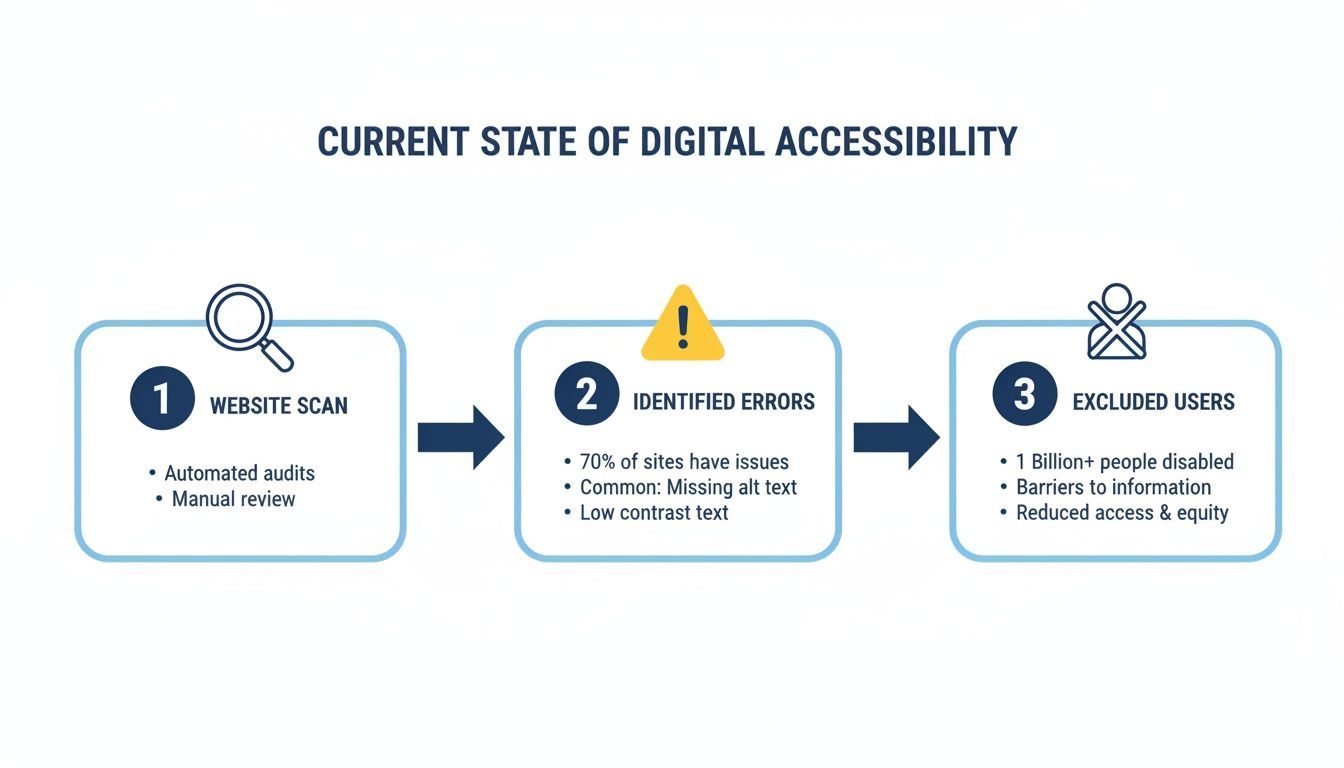
As you can see, it all starts with finding the technical errors that prevent people from using your site in the first place.
Initial Assessment And Audit
You can't fix what you don't know is broken. The very first step is to get an honest, data-backed look at where your website stands today. This initial assessment creates the foundation for your entire accessibility strategy.
A solid audit really has two parts that work together:
- Automated Scanning: Fire up a tool like WebAbility.io to crawl your entire site. These scans are incredibly fast and great at spotting common, code-level issues—think missing alt text, poor color contrast, or empty links. It gives you a quick, bird's-eye view of your compliance gaps.
- Manual Auditing: Automation is powerful, but you absolutely need human experts to perform a manual website accessibility audit. They can catch the nuanced problems that tools miss, like confusing navigation flows, keyboard traps, and whether the site is genuinely usable, not just technically compliant.
When you combine these two, you get a complete picture of the accessibility barriers on your site, from the small stuff to the major roadblocks. This report is your starting point.
Prioritizing And Remediating Issues
Once you have a long list of issues from your audit, it's easy to feel overwhelmed. The trick is to be strategic. Don't try to fix everything at once. Instead, focus on what will make the biggest difference for your users right away.
I always tell my clients to prioritize using two simple factors:
- Impact: How badly does an issue affect the user experience? A broken checkout button is a critical showstopper. A missing alt tag on a purely decorative image? Not so much.
- Effort: How hard is the fix? Changing a color contrast value in your CSS is often a quick win, whereas rethinking a complex navigation menu might take weeks.
Start with the high-impact, low-effort fixes. These are your quick wins that build momentum. Zero in on the core user journeys—things like using the main menu, searching the site, submitting a form, or buying a product. Fixing barriers in these critical paths helps the most people accomplish their goals.
Your goal is progress, not perfection. A focused effort on critical user flows will improve the experience for more people faster than a scattered attempt to fix every minor issue simultaneously. This iterative approach ensures you're always delivering value.
Integrating Automated Solutions For Ongoing Compliance
Accessibility isn’t a one-and-done project. Your website is a living thing, with new content, features, and updates happening all the time. A perfectly compliant site today can become inaccessible tomorrow with a single bad code push. This is where a managed accessibility approach becomes your best friend for long-term success.
By integrating a platform, you get a powerful, two-pronged approach. First, you get 24/7 automated monitoring and scanning through a centralized dashboard. Think of it as an early warning system that flags new issues as soon as they appear, so your team can jump on them before they cause problems for users.
Second, you can add an AI-powered accessibility widget that provides immediate, user-facing solutions. This allows visitors to customize their experience on the fly by adjusting contrast, enabling text-to-speech, or improving keyboard navigation. It provides an instant boost in usability while your team works on the deeper, code-level fixes identified in the audit.
Training And Fostering An Inclusive Culture
At the end of the day, the most successful accessibility initiatives are driven by an inclusive company culture. Your developers, designers, content writers, and marketers all have a hand in creating and maintaining an accessible site. Equipping them with the right knowledge is a crucial investment.
To put these standards into practice, a well-defined plan is key. Using a resource like an Ultimate Website Accessibility Checklist can provide a structured framework to guide your team and ensure no steps are missed.
Start by making sure everyone understands why this matters. It's not just about avoiding lawsuits; it's about building better products for everyone. Then, provide role-specific training:
- Developers need to learn about writing semantic HTML and when to use ARIA.
- Designers should be experts in color contrast, focus states, and logical layouts.
- Content creators must get good at writing descriptive alt text and using proper heading structures.
When you bake accessibility into your everyday workflows, it stops being a reactive task and becomes a proactive part of how you build. That cultural shift is the real key to creating a digital presence that works for all your customers, all the time.
Common Questions About Website Accessibility Standards
When teams start getting serious about accessibility, a lot of the same questions tend to pop up. Let's tackle a few of the most common ones I hear from clients to help you get your bearings and build a solid strategy.
What Is The Difference Between An Accessibility Widget And A Full Audit?
This is a great question because it gets to the heart of strategy. A modern accessibility plan often leverages both managed solutions like widgets and in-depth audits to create a comprehensive solution.
An accessibility widget, like the one from WebAbility.io, is a user-facing tool that sits on your website. It’s an interface that empowers your visitors to make real-time adjustments—like increasing contrast, bumping up font sizes, or enabling a screen reader mode. It's a fantastic way to offer immediate improvements and give users more control over their experience.
A full audit, however, is a deeper diagnostic process. This is where an expert manually inspects your site’s code, structure, and user flows. They uncover root-cause issues within the code—like improper heading structures, non-descriptive links, or complex forms that are difficult to navigate with a keyboard.
The best approach combines both. You use the audit to find and fix foundational issues in the source code, and you use the widget to provide ongoing, customizable support that empowers your users and helps maintain compliance.
How Often Should We Check Our Website For Accessibility Compliance?
Your website isn't static, so your accessibility efforts can't be either. Every new blog post, product update, or design tweak can accidentally create new barriers. Because of this, thinking of compliance as a one-time project is a recipe for falling behind.
Continuous monitoring is the only way to stay on top of it. Using an automated tool that scans your site 24/7—like the dashboard provided by WebAbility.io—is a must. It acts as your early warning system, flagging new issues the moment they appear.
But automation can't catch everything. You’ll still want to supplement it with periodic manual audits. I always recommend a full, expert-led audit at least once a year. You should also plan one after any major redesign or when you launch a significant new feature.
Can We Achieve 100% WCAG Compliance?
In a word, no. While aiming for 100% compliance is a noble goal, it’s not a practical one. The reality is that some Web Content Accessibility Guidelines (WCAG) criteria are subjective, and with the dynamic nature of modern websites, maintaining a perfect score is virtually impossible.
Instead of chasing a perfect score, your focus should be on achieving conformance with WCAG 2.2 Level AA. This is the globally recognized standard and the benchmark most often referenced in legal requirements.
The goal isn't perfection; it's meaningful, demonstrable progress. A solid strategy that blends automated monitoring with expert manual audits shows a genuine commitment to providing an accessible experience for everyone. This approach not only serves your users well but also significantly reduces your legal risk.
Ready to move from asking questions to taking action? WebAbility.io offers the tools you need to achieve and maintain accessibility compliance. See how our AI-enhanced widget and automated monitoring platform can make a real difference for your website at https://www.webability.io.
Quick Questions
Tap to ask AI about this article